
Best Streaming Devices of 2026: Fire TV Stick, Roku, Apple TV and More
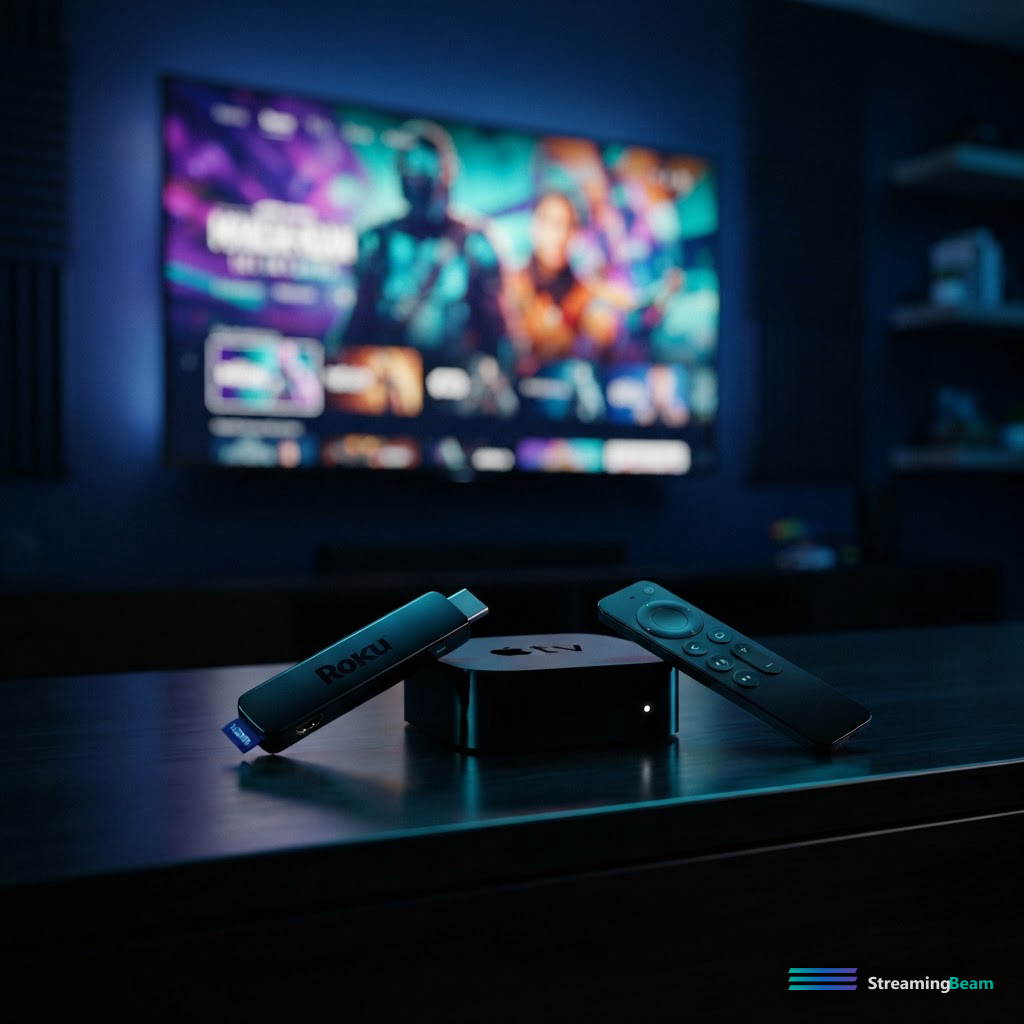
Best Streaming Devices of 2026: Fire TV Stick, Roku, Apple TV and More
Buying a streaming device in 2026 sounds simple until you're staring at five different options at three different price points wondering what the difference actually is. Fire TV Stick or Roku? Apple TV 4K or Google TV Streamer? Do you even need to upgrade if your TV already has apps built in?
We've broken it down by use case so you can skip straight to the right answer for your setup — no tech specs rabbit hole required.
The Lineup: What's Actually Worth Buying in 2026
🏆 Best Overall: Roku Streaming Stick 4K (~$49)
Best for: Most households. Clean interface, no ecosystem lock-in, great price.
The Roku Streaming Stick 4K is the easiest recommendation for most people. It supports Dolby Vision and HDR10+, has the largest app library of any streaming stick (10,000+ apps), and its interface doesn't push one streaming service over another the way Amazon's does. Navigation is fast, the remote is simple, and it stays tucked behind your TV out of the way.
Check current price on Amazon →
⚡ Best for Prime Members: Amazon Fire TV Stick 4K Max (~$59)
Best for: Amazon Prime members and Alexa smart home users.
If your household already runs on Amazon — Prime Video, Alexa-controlled lights, an Echo on the counter — the Fire TV Stick 4K Max is the natural fit. The latest version added Wi-Fi 6E support for better connectivity, and Ambient Experience mode turns your TV into an actual nice-looking screensaver when you're not watching.
The tradeoff: the interface is heavily optimized to surface Prime Video content first. If you're mostly a Netflix and Hulu household, Roku's neutral platform will feel less pushy.
Check current price on Amazon →
🍎 Best Premium Pick: Apple TV 4K (~$129)
Best for: iPhone and Mac users who want the cleanest possible experience.
The Apple TV 4K is the fastest streaming device you can buy. The A15 Bionic chip means instant app launches, zero lag, and buttery smooth 4K HDR playback. It also doubles as an AirPlay receiver, a HomeKit hub, and handles Apple Arcade if you have a gaming subscription. Expensive compared to the competition — but if you've been tolerating your TV's slow built-in interface, the upgrade is immediately noticeable.
Check current price on Amazon →
🔍 Best for Google Users: Google TV Streamer (~$99)
Best for: Android phone users and Google Assistant smart home setups.
Google's TV Streamer replaced the Chromecast line and it's a significant step up. Google Assistant integration is genuinely useful — ask it to find something to watch and it searches across your subscriptions simultaneously. YouTube integration is the best of any device on this list.
Worth noting: at $99 it's in the same conversation as the Apple TV 4K, which outperforms it overall. Unless you're deep in the Android ecosystem, Roku at half the price is the smarter value.
Check current price on Amazon →
🎮 Best for Power Users: Nvidia Shield TV Pro (~$199)
Best for: Plex users, 4K home media servers, and hardcore streamers.
The Nvidia Shield TV Pro is overkill for most people — and exactly right for a specific type of viewer. If you run a Plex media server, have a large library of high-bitrate 4K files, or want AI-powered upscaling that makes 1080p content look closer to 4K, nothing else comes close. It also has USB 3.0 ports for attaching external drives directly.
Check current price on Amazon →
Which Device Should You Buy? Quick Guide
- Best for most people: Roku Streaming Stick 4K
- Amazon Prime household: Fire TV Stick 4K Max
- iPhone / Mac user: Apple TV 4K
- Android / YouTube heavy: Google TV Streamer
- Plex / home media server: Nvidia Shield TV Pro
- Tight budget: Roku Streaming Stick 4K
Do You Even Need a Streaming Device If Your TV Has Apps Built In?
Probably yes. Most smart TVs made between 2018 and 2021 shipped with underpowered chips that feel sluggish today. Apps take forever to load, menus lag, and some older TVs are losing support for platforms like Netflix entirely. Adding a $49 Roku or Fire Stick bypasses your TV's slow interface completely — faster navigation, full app support, and regular software updates without replacing your television.
Once You've Got Your Device Set Up, Find Something Worth Watching
Here's the problem nobody talks about: once you've got your new streaming device plugged in and all your apps installed, you're right back to figuring out what to actually watch across six different platforms tonight.
That's exactly what StreamingBeam is built for. Our AI cross-searches Netflix, Hulu, Max, Disney+, Peacock, and more simultaneously so you find the right movie or show for your mood in seconds — instead of spending 20 minutes scrolling through each app separately.
Try StreamingBeam free tonight →
The Bottom Line
For most households, the Roku Streaming Stick 4K is the right buy — best value, cleanest neutral interface, works with every streaming service. Amazon Prime households will be happier with the Fire TV Stick 4K Max, and Apple users should spend the extra money on the Apple TV 4K and never look back.
Whatever device you pick, you're going to want something to watch on it. StreamingBeam has you covered.
Last updated: July 2026. Some links in this post are affiliate links — we may earn a small commission if you purchase through them, at no extra cost to you.
Want access to more streaming content? A VPN can unlock additional regional libraries. Try NordVPN →
Sponsored
Enjoying StreamingBeam? Support us for free by shopping on Amazon — it costs you nothing extra.
Affiliate link
Find What to Watch Tonight
Search across the major streaming services instantly — Netflix, Hulu, Max, Disney+, and more.
Try StreamingBeam Free →